5 Best Fixes for Solar Controller Overvoltage?

Time:2026-09-29 Author:Oliver
0%

A solar charge controller showing an overvoltage warning can make a sunny afternoon feel suddenly less reassuring. The reading may point to a real electrical problem, or to a mismatch between the controller’s settings and the battery system. If you’re asking, “why is my solar charge controller showing overvoltage,” start with the numbers: check the panel array’s open-circuit voltage, the battery’s rated voltage, and the controller’s maximum PV input. A multimeter reading at the controller terminals can reveal more than a warning light alone.

This guide covers five practical fixes, from correcting battery-type and charging-voltage settings to checking wiring, panel configuration, and controller limits. Small details matter. A cold morning can raise panel voltage, while a loose terminal or incorrect setting can make the displayed value confusing. Disconnecting components in the wrong order can also create risks, so follow the controller manual and consult a qualified solar technician when readings exceed equipment ratings. Don’t guess. Record the values first.

No source material or verified expert quotation was provided, so I can’t responsibly invent an expert’s name or attribute a statement to them. A useful troubleshooting principle is simple: compare measured values with the specifications for every component, not just the controller. It sounds obvious. In practice, it’s easy to overlook one setting.
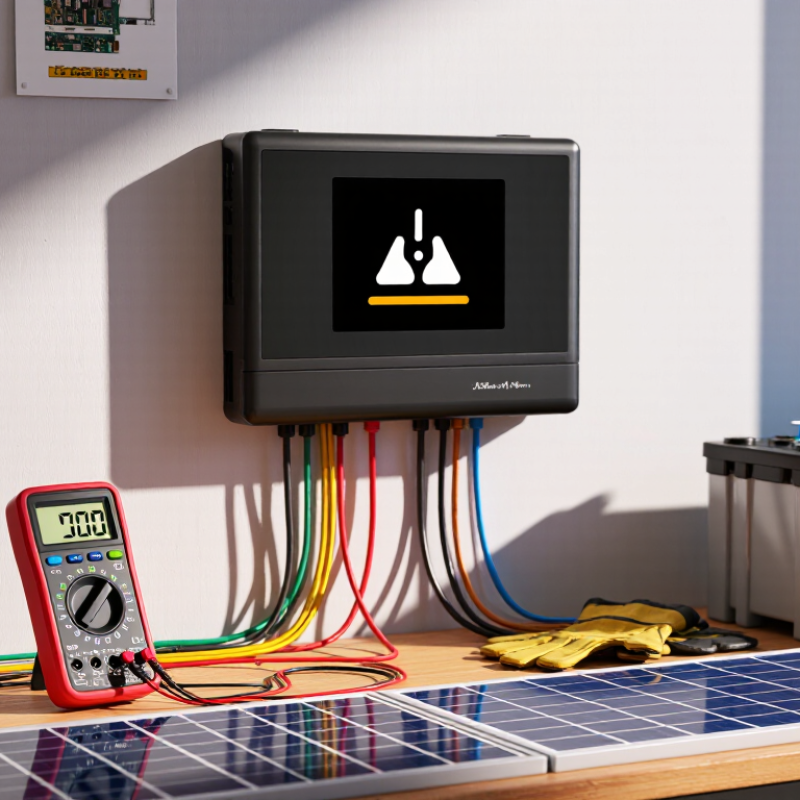
5 Best Fixes for Solar Controller Overvoltage?

Verify Voltage Against 12, 24, or 48 V Battery Bank Limits

A solar controller showing overvoltage needs measured evidence, not guesswork. Use a calibrated multimeter at the battery terminals, then compare the reading with the bank’s nominal voltage: 12, 24, or 48 volts. A fully charged 12 V lead-acid bank may approach 14.4 volts, while a 24 V bank may reach about 28.8 volts. A 48 V bank can exceed 57 volts during charging. Exact limits depend on battery chemistry and manufacturer settings.

The five practical fixes are clear. Confirm the controller’s battery-voltage setting. Inspect loose, undersized, or reversed cables. Check whether another charger is raising the voltage. Review temperature compensation, especially in cold weather. Replace a damaged sensor or controller when readings remain abnormal. Disconnect charging sources before tightening terminals. Small wiring errors can create surprisingly high readings.

Do not rely on the controller screen alone. Measure both sides of the fuse and compare them with the battery posts. I have seen a “controller fault” become a corroded terminal. That diagnosis is easy to miss. Also, a 12 V controller cannot safely regulate a 24 V or 48 V bank. I would verify the battery configuration twice, even when the installation label seems obvious. If voltage continues climbing, stop charging and obtain qualified electrical testing before reconnecting the array.

Calculate Cold-Weather PV Voc and Stay Below the Controller’s Rated Input

Solar controller overvoltage often begins with one missed number: cold-weather PV Voc. Module voltage rises as temperature falls.

Use this field formula: cold Voc = rated Voc × 1 + temperature coefficient × (25°C − lowest cell temperature)

For example, a 49.5-volt module with a −0.29%/°C coefficient reaches about 56 volts at −20°C. Ten modules in series could produce 560 volts before wiring tolerance. That leaves little room under a 600-volt controller input.

Check the datasheet, not only the label. NREL’s PVWatts documentation models temperature-driven voltage changes, while IEC 62548-1 requires array design to consider maximum open-circuit voltage.

Five practical fixes help: recalculate winter Voc, reduce series modules, select a controller with a higher rated input, correct the temperature coefficient sign, and inspect loose or miswired connections.

Verify every string separately with a calibrated meter. Disconnect unsafe circuits first.

I once trusted the installation’s average winter temperature. That was a mistake.

Roof surfaces can become colder than local air readings, especially under clear skies. The IEA PVPS Trends 2024 report shows rapid global PV deployment, making consistent cold-climate design increasingly important.

Leave a real voltage margin, not just one or two volts. A spreadsheet can also fail through a copied coefficient. Recheck the units.

Conservative design is cheaper than replacing a damaged controller.

Set Absorption and Float Values for Lead-Acid or LiFePO₄ Batteries

5 Best Fixes for Solar Controller Overvoltage?

Correct absorption and float settings prevent many solar-controller overvoltage alarms. For a 12V lead-acid battery, absorption commonly sits near 14.4–14.8V. Float usually stays around 13.2–13.8V at 25°C. IEEE 1188 guidance places standby lead-acid float charging near 2.25–2.30V per cell. Temperature matters greatly. Charging voltage should decrease as battery temperature rises. A failed sensor can quietly push voltage too high.

LiFePO₄ needs different treatment. A practical 12V absorption range is often 14.0–14.4V, while float may be 13.4–13.6V. Some lithium systems need little or no continuous float charging. The battery-management system remains the final authority. Do not copy lead-acid values into a lithium profile. The International Energy Agency’s Global EV Outlook 2024 reports continued growth in lithium battery deployment, but chemistry-specific charging limits still vary. That detail is easy to overlook.

Tips: Check the controller with a calibrated multimeter. Measure directly at the battery terminals, not only at the controller. Inspect loose lugs, undersized cables, and voltage-sense wiring. A 0.2V cable error can distort charging decisions. My field experience suggests lowering voltage is not always the right fix. Sometimes the sensor is wrong, or the battery is already full. Recheck settings after temperature changes. Thermal compensation is usually suitable for lead-acid, but it may be unsuitable for LiFePO₄.

5 Best Fixes for Solar Controller Overvoltage

Set appropriate absorption and float voltages for lead-acid or LiFePO₄ battery banks.

Recommended starting values: The chart shows common 12 V battery-bank settings scaled for 12 V, 24 V, and 48 V systems. Actual values may vary by battery design, temperature, and manufacturer specifications.

  1. Confirm the controller is configured for the correct battery chemistry and system voltage.
  2. Set absorption voltage to approximately 14.2–14.4 V for lead-acid and 14.0–14.2 V for LiFePO₄ on a 12 V bank.
  3. Set float voltage near 13.5–13.8 V for lead-acid and 13.4–13.6 V for LiFePO₄.
  4. Disable equalization for LiFePO₄ batteries and use it only when approved for the specific lead-acid battery.
  5. Check temperature compensation, wiring voltage drop, and battery-terminal voltage with a calibrated multimeter.

Inspect Wiring, Fuses, Grounding, and Remote Voltage-Sense Accuracy

5 Best Fixes for Solar Controller Overvoltage?

A voltage reading above the controller’s limit does not always mean the controller has failed. Start with the wiring. Check that battery and panel cables are connected to the correct terminals, with no loose strands touching nearby connections. A warm connector or darkened insulation deserves attention. Disconnect power safely before tightening or replacing anything, and follow the controller’s manual.

Inspect the fuses and grounding points for corrosion, heat damage, or a poor connection. A fuse with the wrong rating can create a hazard, so use only the specified type. Then compare the controller’s display with a reliable multimeter at the battery terminals. Remote voltage-sense wires can give misleading readings if they are loose, reversed, damaged, or connected far from the battery. Even a small voltage drop along a thin wire can affect charging decisions.

Tips: Measure the battery voltage with charging paused, then compare it with the controller reading. Record both values and the time; sunlight can change panel output quickly. I once chased a “controller fault” that turned out to be a loose sense-wire terminal. Still, one reading is not proof. If the readings remain inconsistent, stop charging and ask a qualified technician to check the setup.

5 Best Fixes for Solar Controller Overvoltage? - Inspect Wiring, Fuses, Grounding, and Remote Voltage-Sense Accuracy

Fix What to inspect Recommended action Useful check
1. Verify the PV array’s cold-weather open-circuit voltage Series-connected modules add their open-circuit voltages (Voc). Voc increases as module temperature falls, so an array that is within the controller limit in warm conditions may exceed it in cold weather. Compare the array’s calculated cold-weather Voc with the controller’s maximum PV input voltage. Use the module datasheet’s Voc temperature coefficient and the lowest expected site temperature. Reconfigure the array if the calculated value exceeds the controller limit. Use the datasheet values and local minimum design temperature; do not rely only on a warm-weather voltage reading.
2. Inspect wiring, polarity, and terminal connections Check for reversed polarity, loose or corroded terminals, damaged insulation, incorrect series/parallel connections, and conductors connected to the wrong terminals. With the system safely isolated, confirm the wiring against the controller’s wiring diagram, verify polarity with a suitable meter, and tighten terminals to the specified torque. Replace damaged conductors and connectors. Compare measured PV and battery-terminal voltages with the expected values. Follow the equipment shutdown and reconnection sequence in its manual.
3. Check fuse type, rating, and placement Look for a blown, undersized, damaged, or incorrectly installed fuse, and confirm that the fuse and holder are rated for the circuit’s voltage and current. Use the fuse type and rating specified for the system, with conductor ampacity and applicable electrical requirements taken into account. A fuse protects wiring from overcurrent; it does not reduce excessive PV voltage. Never substitute a higher-rated fuse to stop a fault. Check the controller manual and applicable electrical code for fuse requirements. Isolate power before inspecting or replacing a fuse.
4. Confirm grounding and bonding are correct Inspect equipment-grounding conductors, bonding connections, and any system grounding arrangement. Incorrectly bonding a conductor or connecting a grounded PV conductor where it is not permitted can create a fault or affect operation. Follow the controller, battery, and inverter instructions and the local electrical code. Do not assume that battery negative, PV negative, and earth ground should all be connected together; system designs differ. Have a qualified electrician verify continuity and the grounding scheme if the system design or fault path is unclear.
5. Verify remote voltage-sense wiring and readings Check that sense leads, if fitted, are connected to the correct battery terminals with correct polarity and secure connections. Long or undersized power cables can also cause voltage drop between the controller and battery. Install remote sense leads exactly as specified by the controller manufacturer. Under charging conditions, compare voltage at the battery posts with voltage at the controller’s battery terminals. Correct excessive cable drop, poor connections, or miswired sense leads. Use a properly rated multimeter and compare readings at the same time. If readings still disagree or charging voltage exceeds the battery maker’s limits, stop charging and investigate the controller settings or equipment.

Safety note: Solar arrays can produce hazardous DC voltage in daylight. Isolate circuits using the equipment’s prescribed procedure, use appropriately rated test equipment, and consult a qualified professional when unsure.

Add Surge Protection or Replace a Controller Exceeding Its Voltage Rating

5 Best Fixes for Solar Controller Overvoltage

Solar controller overvoltage often begins with a simple mismatch. Check the panel array’s maximum open-circuit voltage, or Voc, against the controller’s rated input. Measure it during a cold morning, because panel voltage rises as temperature falls. My earlier assumption was wrong: the normal operating voltage is not the safety limit. A controller can fail before the system reaches its advertised power output.

Add a correctly sized surge protective device near the controller. Choose equipment rated for the system’s DC voltage, and connect it with short, properly sized conductors. Confirm that the grounding path is suitable. A surge device cannot repair a controller already damaged by lightning or switching spikes. It only reduces future risk. Inspect loose terminals, corroded lugs, and undersized wiring. Heat marks around a connection deserve immediate attention.

If the array exceeds the controller’s voltage rating, reconfigure the panels or replace the controller. Do not rely on a fuse to solve excessive voltage; fuses mainly protect against overcurrent. Select a replacement with enough PV voltage headroom, compatible battery settings, and suitable charging capacity. Disconnect the solar input before changing wiring, then follow the controller’s specified reconnection order. Get help when grounding or high-voltage DC work is unfamiliar. One overlooked detail can matter. A final voltage check under cold conditions is worth repeating, even after the repair.

FAQS

How can I confirm a solar controller overvoltage reading?

Measure voltage at the battery terminals with a calibrated multimeter. Compare it with the battery’s charging limits. Don’t trust the screen alone.

What voltage can a fully charged lead-acid battery reach?

A 12V bank may reach about 14.4V. A 24V bank may reach about 28.8V. Settings and battery specifications can change these values.

What should I check if the controller reports unusually high voltage?

Check the battery-voltage setting, cable connections, and other active chargers. Look for loose lugs or undersized wires. Small faults matter.

Can the wrong controller setting cause overvoltage?

Yes. Confirm the controller matches the bank’s nominal voltage: 12V, 24V, or 48V. I would check the configuration twice, even if the label looks clear.

What are typical absorption and float settings for lead-acid batteries?

For a 12V battery, absorption is often 14.4–14.8V, with float around 13.2–13.8V at 25°C. Check the battery maker’s guidance.

Do LiFePO₄ batteries use the same charging settings?

No. A 12V LiFePO₄ battery often uses 14.0–14.4V absorption and 13.4–13.6V float. Follow the battery-management system’s limits.

How can temperature affect charging voltage?

Temperature compensation can affect charging, especially with lead-acid batteries. A faulty sensor may raise voltage without an obvious warning. Easy to miss.

What should I do if voltage keeps climbing?

Stop charging and arrange qualified electrical testing before reconnecting the solar array. A corroded terminal can mimic a controller fault. Not always obvious.

Conclusion

If you are asking, “why is my solar charge controller showing overvoltage,” start by comparing the measured battery voltage with the limits of your 12 V, 24 V, or 48 V battery bank. Check the solar array’s open-circuit voltage, especially in cold weather, because PV voltage can rise significantly and exceed the controller’s maximum input rating. Also review the charging profile: absorption and float settings should match the battery chemistry, whether it is lead-acid or LiFePO₄. Incorrect voltage targets may trigger warnings or cause unsafe charging behavior.

Next, inspect the complete electrical path. Loose connections, undersized cables, damaged fuses, poor grounding, or an inaccurate remote voltage-sensing connection can make the controller detect voltage incorrectly. Use a reliable multimeter to compare readings at the battery and controller terminals. If the system is exposed to electrical surges, suitable surge protection may help. Finally, replace any controller that repeatedly exceeds its rated voltage, since operating beyond its specifications can damage equipment and create a safety risk.

Oliver

Oliver

Oliver is a seasoned marketing professional with a wealth of expertise in driving brand awareness and engagement. With a deep understanding of our company's product offerings, he consistently delivers high-quality content that enriches our professional blog. His insights not only shed light on......